
Time tracking might not be flashy, but it’s a critical component for small agencies aiming to maintain profitability and transparency with clients. Especially in fast-paced environments where every billable hour counts, having a reliable yet affordable time-tracking solution is essential. However, the challenge lies in finding tools that are intuitive, low-cost, and non-intrusive — so your team actually uses them consistently.
TL;DR
Small agencies often struggle with tracking time without constantly reminding their teams. The best time-tracking tools are those that seamlessly integrate into daily workflows while being budget-friendly. Top affordable options like Toggl Track, Clockify, and Harvest strike the balance between automation and manual tracking. This article compares the five best tools used by other successful small agencies to capture billable hours without disrupting productivity.
1. Toggl Track – Sleek Interface with Passive Tracking
Toggl Track is one of the most popular time-tracking platforms for small businesses and creative agencies. It offers a clean, easy-to-use interface that encourages use without overwhelming users. With features such as passive time tracking, browser extensions, and mobile support, it adapts to different workflows effortlessly.
- Free Plan: Available for up to 5 users
- Paid Plans: Start at $10/user/month (billed annually)
- Best Features: One-click timers, background tracking, native integrations with Slack, Asana, and Trello
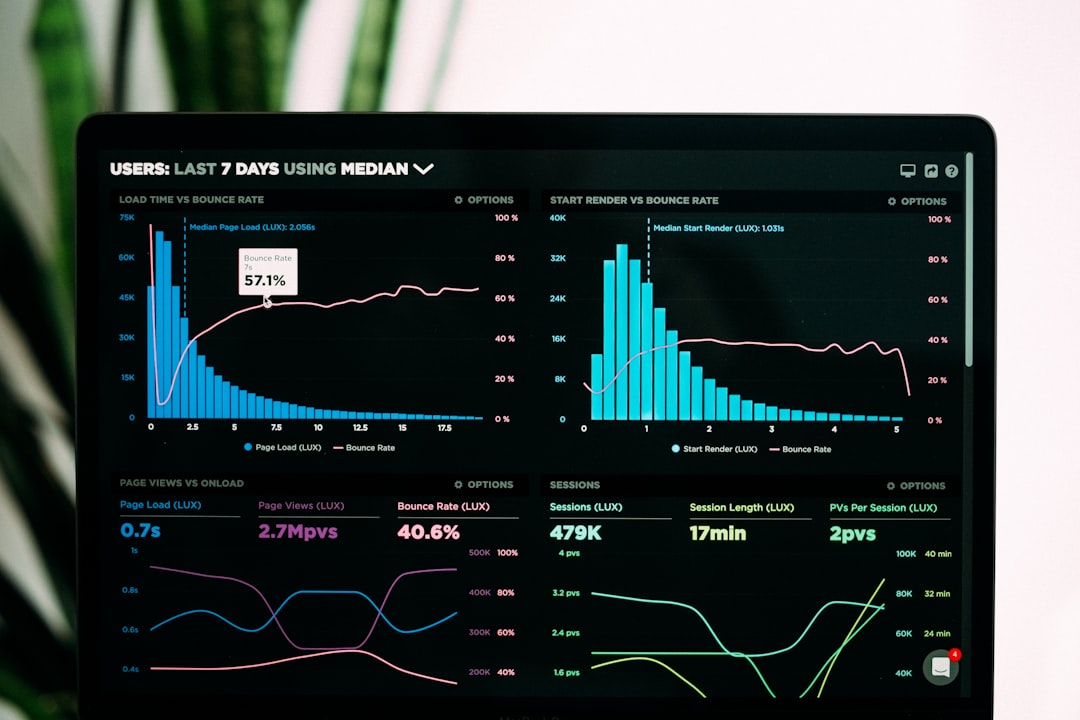
Unlike tools that require constant intervention, Toggl’s idle detection and optional tracking reminders reduce the need for team managers to follow up. Its intuitive reports make it easy to handle client billing and time analysis across projects.
2. Clockify – Powerful and Free Forever
Clockify is perhaps the most attractive option for agencies on tight budgets. It’s a completely free tool with no user cap, and even the basic plan includes robust time-tracking features, project management tools, and invoice generation.
- Free Plan: Unlimited users and projects
- Paid Plans: From $3.99/user/month for added features like timesheet approvals and integrations
- Best Features: Project dashboards, visual time reports, Pomodoro timer
The real magic behind Clockify lies in its simplicity. It integrates with all the major project management tools and requires minimal setup. For agencies that work with freelancers or agile teams, Clockify helps ensure that every billable increment is captured—without having to micromanage behavior.
3. Harvest – Ideal for Client-Based Billing
Harvest is built around the concept of time-for-services, making it an excellent choice for consulting, design, and marketing firms. Beyond capturing time, it offers invoicing and expense tracking—making the entire billing ecosystem tightly connected.
- Free Plan: 1 user with 2 active projects
- Paid Plans: $12/user/month
- Best Features: Integrated invoicing, timesheet approval workflows, and team availability reports
Harvest also integrates with Stripe and PayPal, so clients can pay directly through the platform. What makes it stand out is the way it bridges the gap between operational tasks and business finances. Teams spend less time toggling between different software platforms and more time doing billable work.
4. RescueTime – Automatic Time Intelligence
RescueTime differs slightly from traditional trackers in that it focuses on passive tracking of digital activity. It automatically logs time spent on apps, websites, and tasks without requiring manual input—making it ideal for teams who hate entering time logs manually.
- Free Plan: Basic tracking tools and focus sessions
- Paid Plans: Start at $12/user/month
- Best Features: Distraction blocking, goal setting, automatic time categorization
This solution is less about billable tracking and more about team efficiency. However, coupled with manual project tags, teams can use RescueTime’s data to map logged hours to specific projects. It excels in providing detailed analytics that help leaders understand how digital time is truly spent—which can highlight inefficiencies that drain billable hours.
5. Everhour – Best Integrated Experience for Project-Based Work
Everhour is beloved by remote teams and agencies that rely heavily on project management software like Asana, Basecamp, and ClickUp. What sets Everhour apart is its seamless integration—you can track time directly within your task manager without switching apps.
- Free Plan: No free version, only a 14-day trial
- Paid Plans: $8.50/user/month (billed annually)
- Best Features: Task-level time logs, in-app timer widgets, customizable reports
The embedded experience lowers the barrier to adoption. Employees don’t need to open a separate app to track—every click feels native. This reduces resistance and improves tracking accuracy, making Everhour especially useful for agencies who already have digital workflows set up.
Choosing What Works Best for Your Team
Finding the right time-tracking tool boils down to two things: how your team works and how you bill clients. A development agency that churns out dozens of quick tasks might need integration with GitHub or Jira, while a design studio may benefit more from a visual dashboard with time estimates and actuals.
In any case, the best tools remove friction. They automate what can be automated and guide teams with light nudges—not with nags. Every tool listed above offers features to simplify time-tracking while keeping costs low, allowing small agencies to remain client-focused without sacrificing billables.
Final Thoughts
Effective time tracking enhances both productivity and profitability. Agencies don’t need bloated enterprise tools to get the job done. By leveraging affordable and well-integrated tools, agency leads can encourage accurate, painless tracking habits while ensuring clients are billed precisely for what they receive. Whether you choose the feature-rich simplicity of Toggl Track or the full-integration approach of Everhour, your goal should be the same: make time tracking a silent ally, not a constant chore.
FAQ
- Q: Are these tools easy for non-technical team members to use?
A: Yes, all the tools listed are designed with simple interfaces that are accessible even to users with minimal technical skills. - Q: Can I track time automatically without pressing a timer?
A: Yes. Tools like RescueTime and Toggl Track offer passive or automatic tracking that logs time based on computer activity. - Q: Do I need a paid version to generate invoices?
A: Most tools include basic invoicing in their free or lower-tier plans, but advanced functionality usually requires an upgrade. - Q: How secure is the data tracked by these tools?
A: Security is taken seriously. Most of these platforms comply with GDPR and offer encrypted data storage. - Q: Can I export report data for clients?
A: Yes. All the mentioned time-tracking tools provide export features in PDF, CSV, or Excel format for client sharing.