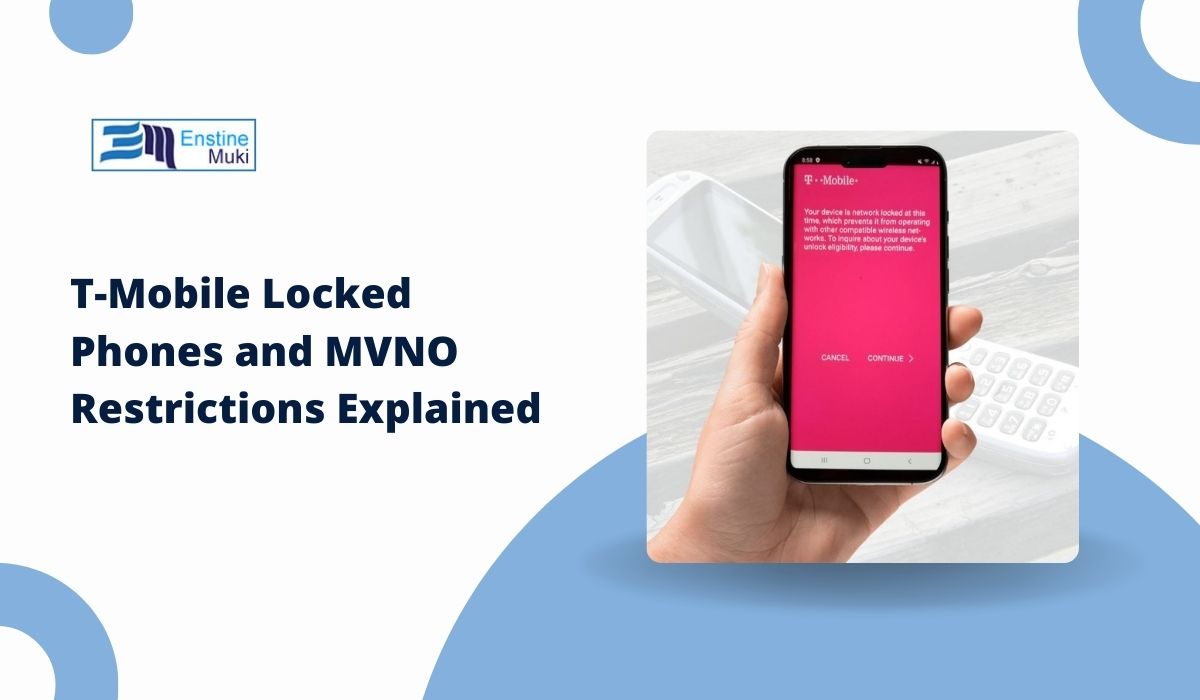
Many people buy a T-Mobile smartphone, insert a SIM card from another carrier, and suddenly the phone does not work. The device may show SIM not supported, network locked, or it simply refuses to connect to the mobile network. When this happens, users often wonder why their phone cannot work with another provider.
This situation usually involves carrier locking and MVNO network restrictions. T-Mobile, like many mobile carriers, sometimes locks phones to its own network. At the same time, many smaller mobile providers called MVNOs (Mobile Virtual Network Operators) use the same T-Mobile network but follow different rules.
This guide explains what T-Mobile locked phones are, how MVNO restrictions work, why the limitation exists, and how unlocking a device changes what networks you can use.
What Is a T-Mobile Locked Phone?

A T-Mobile locked phone is a smartphone that can only connect to the T-Mobile network until the device is officially unlocked. The restriction is placed by the carrier when the phone is sold through T-Mobile stores or financed through a T-Mobile plan.
The lock works through the phone’s IMEI number and software settings. When you insert a SIM card, the device checks whether the SIM belongs to an approved network. If the SIM card comes from another carrier that is not allowed, the phone blocks the connection.
This lock system usually controls several things:
- which SIM card the phone can use
- which mobile network the phone connects to
- whether the device accepts international SIM cards
Even though the phone hardware supports LTE and 5G bands, the lock prevents the device from connecting to other networks until the carrier unlocks it.
Why Carriers Lock Smartphones
Mobile carriers lock phones mainly for business reasons. When customers buy a phone through a carrier, the device is often tied to a service agreement.
One common reason is device financing. Many customers purchase smartphones like the iPhone or Samsung Galaxy through monthly payment plans. The carrier locks the phone to ensure the device stays on their network until it is fully paid.
Another reason is customer retention. If a phone works only on the T-Mobile network, users are less likely to switch to another provider before finishing their contract.
Carrier agreements also influence locking policies. Some phone promotions, discounts, or bundled deals require the device to stay connected to the original carrier for a certain period.
Because of these factors, carriers like T-Mobile, AT&T, and Verizon commonly sell locked devices.
What Is an MVNO?
An MVNO, or Mobile Virtual Network Operator, is a mobile service provider that does not own its own wireless network infrastructure. Instead, it rents network access from major carriers such as T-Mobile, AT&T, or Verizon.
Even though MVNOs use the same towers and infrastructure, they operate under their own brand, pricing plans, and service rules.
Some well-known MVNOs that use the T-Mobile network include:
- Mint Mobile
- Metro by T-Mobile
- Ultra Mobile
- Boost Mobile
- Google Fi
These companies provide mobile plans that often cost less than major carrier plans. However, because they operate under agreements with the main carrier, device compatibility rules can differ.
Can T-Mobile Locked Phones Work With MVNOs?
Whether a T-Mobile locked phone works with an MVNO depends on the relationship between the MVNO and the T-Mobile network.
In some cases, a locked T-Mobile device may work with Metro by T-Mobile, because Metro is owned by T-Mobile. The device still connects to the same network infrastructure.
However, many independent MVNO providers require fully unlocked phones. Even though they use T-Mobile towers, their SIM cards may not be recognized by a phone that is still carrier locked.
For example, a locked device might reject SIM cards from:
- Mint Mobile
- Boost Mobile
- Ultra Mobile
This happens because the phone software checks the carrier identification stored in the SIM card. If the SIM does not match the allowed network list, the device blocks the connection.
How to Check if Your T-Mobile Phone Is Locked

If you are unsure whether your phone is locked, there are a few simple ways to check.
Follow these steps to test the device.
- Turn off your phone.
- Remove the current T-Mobile SIM card.
- Insert a SIM card from another carrier.
- Turn the phone back on.
- Wait for the network connection to appear.
If the phone displays messages such as SIM not supported, Invalid SIM, or Network locked, the device is likely still locked.
Another way to check is by using the IMEI number. Many carrier websites allow users to enter the IMEI to see whether the device is locked or compatible with another network.
How to Unlock a T-Mobile Phone
Unlocking the phone removes the carrier restriction so the device can work with other networks.
T-Mobile provides an official unlock policy that explains when a phone becomes eligible for unlocking. In most cases, the device must meet certain requirements before the unlock request is approved.
Here are the steps to unlock a T-Mobile phone.
- Confirm the phone was purchased from T-Mobile.
- Make sure the device balance is fully paid.
- Verify that the account is in good standing.
- Request an unlock through T-Mobile customer support or the T-Mobile unlock app.
- Wait for confirmation that the unlock request was approved.
- Restart the phone after the unlock is processed.
Once the phone is unlocked, it should accept SIM cards from other carriers and MVNO providers.
Benefits of Using an Unlocked Phone
Using an unlocked smartphone offers several advantages for mobile users.
Some of the main benefits include:
- the ability to switch carriers without replacing the device
- support for multiple MVNO mobile plans
- compatibility with international SIM cards when traveling
- easier resale value for the device
Unlocked phones also allow users to compare different carriers and choose the best plan based on coverage or price.
Common Problems With Locked Phones on MVNOs
Users sometimes experience problems when trying to use a locked phone with an MVNO provider.
These problems may include:
- the SIM card not being recognized
- network connection errors
- inability to activate mobile data
- missing LTE or 5G network access
In some situations, the phone hardware supports the correct network bands, but the carrier lock still blocks the connection.
Unlocking the device usually resolves these issues.
Conclusion
In short, T-Mobile locked phones are restricted to the T-Mobile network until the device is officially unlocked. This restriction exists mainly because of financing agreements, promotional deals, and carrier policies.
MVNO providers such as Mint Mobile, Boost Mobile, and Ultra Mobile use the same network infrastructure, but they may still require unlocked devices to activate their SIM cards.
Once the phone is unlocked through the T-Mobile unlock process, it can connect to a wider range of carriers and mobile plans.
If you plan to switch providers or try a different MVNO, checking the lock status of your phone first can save time and prevent activation issues.