
Grounded is a survival game where players explore a backyard while shrunken down to bug size. It is fun to play with friends, so many people ask if the game supports crossplay. The good news is that Grounded does let players on different platforms play together. Here is a simple guide that explains how crossplay works.
Is Grounded Crossplay?
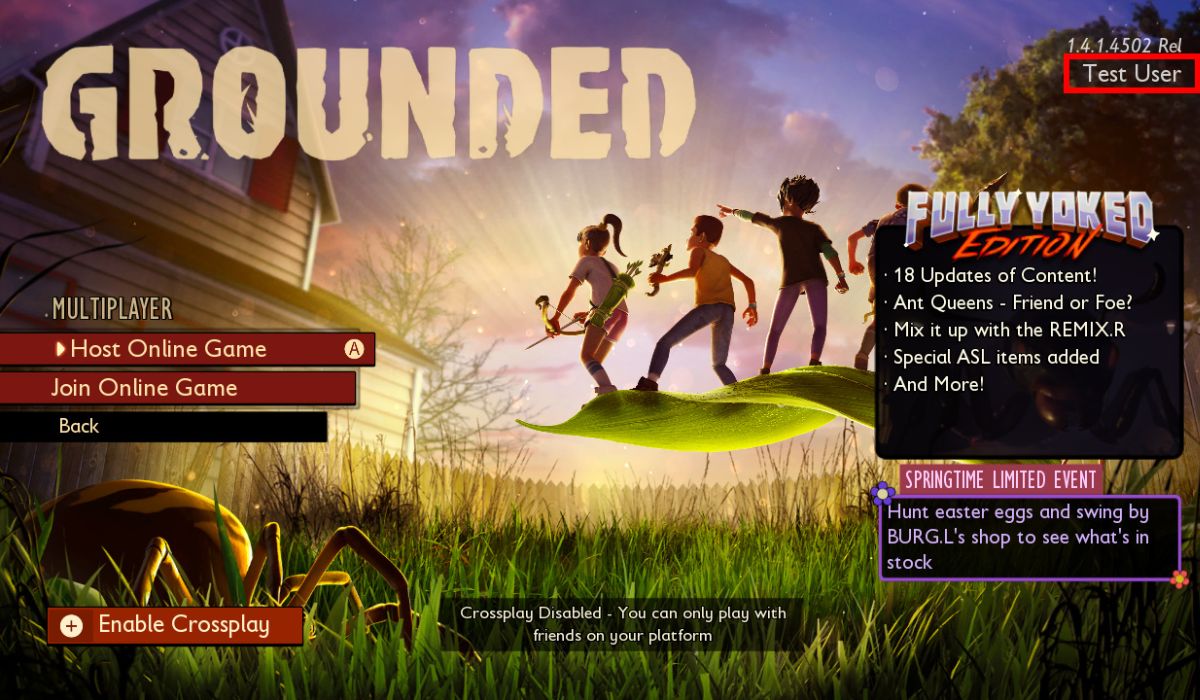
Yes. Grounded is fully crossplay. This means players on Xbox and PC can play together without any special setup. Crossplay works across Xbox One, Xbox Series X or S, Windows PC, Steam, and the Microsoft Store version.
If you and your friends own the game in different places, you can still join the same world.
What Platforms Support Crossplay
Here are the platforms that can play together:
- Xbox One
- Xbox Series X or S
- Windows PC through the Xbox app
- Windows PC through the Microsoft Store
- Windows PC through Steam
All of these can connect in online co-op as long as the game version is the same.
Xbox and PC Crossplay Explained
If you play Grounded on Xbox, you can join friends on Windows PC through the Xbox app or Microsoft Store. Both use a Microsoft account, which makes crossplay easy.
Make sure:
- You are signed in with your Microsoft account
- Your friends are on your Xbox Friends list
- Everyone has updated the game
Once those steps are done, anyone can start a world and invite others.
Steam Crossplay in Grounded
Steam players can also play with Xbox and Windows PC players. You still need a Microsoft account, even if you bought Grounded on Steam. After linking your account, you will be able to see your Xbox friends and join their games.
Steam, Xbox, and PC players all connect without any extra downloads.
How to Play Crossplay With Friends
Here is the simple way to set up multiplayer in Grounded.
- Open Grounded and go to Multiplayer.
- Choose Host Online Game or Join Online Game.
- Make sure your Microsoft account is signed in.
- Invite your friends from your Xbox Friends list.
- Start the world and begin playing together.
Friends with different platforms can join the same world as long as everyone is online.
Cross-Save Support
Grounded supports cross-save between Xbox and Windows PC through the Microsoft Store or Xbox Game Pass app. Your worlds stay in the cloud.
Steam saves do not sync with Xbox or Microsoft Store saves. Steam saves only stay on Steam.
Common Crossplay Issues and Fixes
If crossplay is not functioning in Grounded, try the following quick steps:
- Update the game on all devices
- Sign in with the same Microsoft account
- Add friends on Xbox before inviting
- Turn off offline mode
- Restart the game or device
- Check your internet connection
Most crossplay problems come from version mismatches or account issues.
Final Thoughts
Grounded has great crossplay support because it lets Xbox and PC players enjoy the game together with no trouble. Whether you play on Steam, Xbox, or the Microsoft Store, it is easy to join friends and explore the backyard world as a team.
If this guide helped you, feel free to share it or leave a comment.