Voting for your favorite games during The Game Awards is time-limited, so when the vote button does nothing or the page refuses to load, it feels urgent. Many people try to vote at the same time, especially on big categories like Player’s Voice, and that can cause problems fast.
If voting isn’t going through right now, you’re not alone. Most issues are temporary and tied to traffic, login sessions, or browser behavior. Below are the common reasons voting fails and the steps that usually fix it.
Why Game Awards Voting Is Not Working?

During voting windows, the official site experiences a significant spike in traffic. When traffic peaks, pages can slow down, buttons may stop responding, or submissions fail silently. Login sessions can also expire, which blocks votes until you sign in again.
In some cases, browser settings, saved cookies, or extensions interfere with the voting script. Mobile browsers can struggle more than desktop browsers when the site is under load. Finally, some categories close earlier than others, which can make voting appear broken when it’s actually closed.
Common Causes of Game Awards Voting Issues:
- Heavy traffic during peak voting hours
- Temporary server slowdowns or outages
- Expired login or session timeout
- Browser cache or cookies are blocking the submission
- Ad blockers or privacy extensions are interfering
- Mobile browser limitations
- The voting window closed for a category
How to Fix Game Awards Voting Not Working
If you’re facing this issue, try the fixes below one by one. Test voting after each step.
Fix 1: Refresh the Page and Wait a Few Minutes
When traffic is high, refreshing repeatedly can make things worse. Give it a few minutes, then reload the page and try again. Voting often works once traffic drops slightly.
Trying again later, especially outside peak hours, helps many users.
Fix 2: Clear Browser Cache or Use Incognito Mode
Saved cookies or site data can block voting scripts.
You can try:
- Clearing cookies and cache for the site
- Opening the voting page in an incognito or private window
- Temporarily disabling ad blockers or script blockers
This gives you a clean session and often restores the vote button.
Fix 3: Switch Browsers or Devices
If voting fails on one browser, switch to another.
Desktop browsers usually work better during high traffic. Chrome, Firefox, Edge, and Safari may behave differently under load. If you’re on mobile, try a desktop or laptop if possible.
Fix 4: Check Your Login Status and Sign In Again
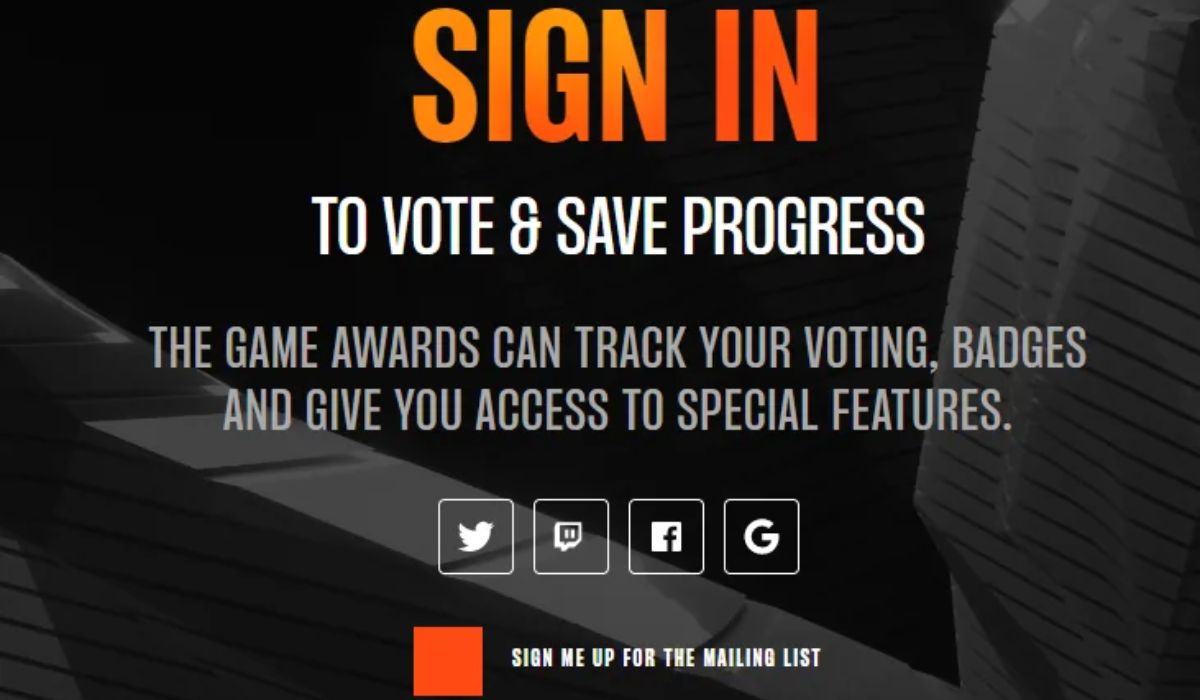
Voting requires an active login. If your session expires, the site may allow you to browse but not submit votes. Log out, sign back in, then return to the voting page. This refreshes your session and permissions.
Fix 5: Try Voting During Off-Peak Hours
Most traffic peaks in the evenings and right before deadlines. Early mornings or late nights often have fewer users.
If your vote isn’t urgent, waiting a few hours can make the process smoother.
Fix 6: Watch for Official Updates
When issues affect many users, organizers usually acknowledge them. Check official announcements or updates tied to The Game Awards for maintenance notices or extended voting windows.
Avoid relying on rumors or unofficial outage claims.
What to Do If Voting Still Doesn’t Work
If none of the fixes work, the problem is likely server-side. At that point, repeated rapid attempts won’t help and may slow things further.
Give it time, keep an eye on updates, and try again later. Some categories close earlier than others, so focus on open ones first when access returns.
How to Avoid Voting Issues Next Time
A few habits reduce the chance of problems.
- Vote early instead of waiting until the last day
- Use a desktop browser when possible
- Stay logged in before voting opens
- Avoid peak traffic hours
- Don’t refresh repeatedly during slowdowns
These steps make voting smoother and less stressful.
Conclusion
Game Awards voting not working is usually caused by heavy traffic, session issues, or browser conflicts. Most problems are temporary and resolve with patience and a few simple fixes.
If this guide helped you submit your vote, share it with others who may be stuck. And if voting is still down where you are, leave a comment so others know what’s happening.