


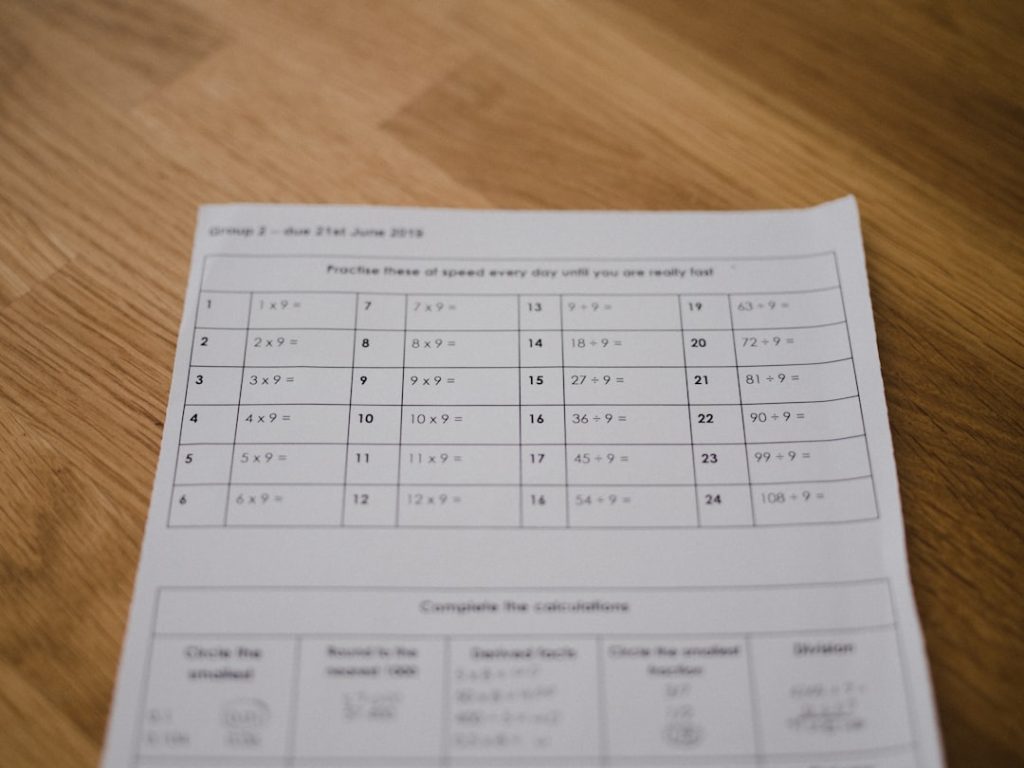
Modern classrooms are increasingly embracing interactive technologies to make learning more engaging and participatory. Gone are the days when student involvement was gauged by hand-raising and pop quizzes on paper. Today, clicker-style quiz and poll tools allow educators to boost real-time participation, even in large group settings. Whether in lecture halls or online classrooms, these tools help teachers receive instant feedback, assess student understanding, and maintain classroom energy.
TLDR:
Teachers now have access to a variety of digital tools that mimic traditional clickers, enhancing real-time engagement in large classrooms. These tools offer live quizzes, polls, and Q&A sessions that are easy to implement and fun for students. Options like Kahoot!, Poll Everywhere, and Slido help educators keep lessons dynamic and interactive. This guide explores the top 7 tools that have become staples in modern classrooms across educational levels.
1. Kahoot!
Kahoot! has become a household name in interactive learning due to its game-based approach. Ideal for large groups, it allows teachers to create multiple-choice quizzes that students can join on their own devices using a unique access code. The interface is colorful, fast-paced, and encourages friendly competition.
- Best for: Gamified quizzes in live sessions
- Platform: Web, iOS, and Android
- Unique features: Team mode, asynchronous challenges, music-based countdowns

Teachers can track student progress and even assign quizzes as homework. The basic version is free, but advanced features like detailed analytics and branded classrooms require a subscription.
2. Poll Everywhere
Poll Everywhere transforms mobile devices into live audience response systems, making it perfect for large classrooms and lecture halls. Teachers can pose different types of questions, from multiple choice to word clouds and rank order lists.
- Best for: Live student feedback, peer instruction
- Platform: Web, PowerPoint, Keynote, Google Slides integrations
- Unique features: Anonymous replies, live data visualization, integration with presentation tools
The platform supports real-time collaboration and helps foster inclusivity, allowing shy students to contribute anonymously. Although there is a free plan, premium subscriptions offer advanced data and response control.
3. Slido
Slido is a classroom favorite for its seamless integration with Zoom, WebEx, MS Teams, and Google Slides. Originally developed for corporate settings, teachers have embraced it for its Q&A features, live polls, and quizzes.
- Best for: Q&A sessions, polls alongside presentations
- Platform: Web, Google Slides, PowerPoint, Zoom
- Unique features: Live Q&A ranking, audience upvotes, real-time graphs
It promotes interactivity in both in-person and remote learning contexts, especially during theory-heavy sessions. Free accounts support basic polling and Q&A for smaller groups, and the paid version opens up robust analytics and branding options.
4. Mentimeter
Mentimeter combines polling with interactive presentation capabilities. It allows teachers to design entire lectures around audience interaction, using polls, word clouds, quizzes, and scales to maximize student participation.
- Best for: Presentation-style teaching with embedded quiz content
- Platform: Web
- Unique features: Word clouds, feedback slides, question pacing control
Mentimeter is especially helpful for gauging prior knowledge, collecting mid-session feedback, and summarizing learning outcomes with visual data. Easy to use and visually appealing, it’s a great choice for visually-driven learners.
5. Socrative
Targeted more directly at educational use, Socrative is a comprehensive system that offers real-time formative assessment through quizzes, quick questions, and exit tickets. Unlike other platforms, it supports teacher-controlled pacing and allows open-text responses.
- Best for: Detailed assessments, teacher-guided sessions
- Platform: Web, iOS, Android
- Unique features: Room-based quizzes, student roster support, space race (group competition)


Socrative is great for testing comprehension during and after class. It stores student responses for review and integrates well with student management systems. The free version is feature-rich, but premium plans support larger groups and deeper analytics.
6. Quizizz
Quizizz stands out with its self-paced play mode, making it ideal for both synchronous and asynchronous sessions. Teachers can select from a vast question bank or create their own, and quizzes can include images, memes, and feedback after each question.
- Best for: Fun, competitive quizzing at any pace
- Platform: Web, iOS, Android
- Unique features: Gamification, student-paced mode, immediate feedback
Its performance dashboard helps educators track mastery and identify areas needing review. A favorite in middle and high schools, Quizizz accommodates virtual learning environments smoothly as well.
7. Plickers
Plickers offers a low-tech solution for real-time polling that doesn’t require student devices—a feature that sets it apart. Teachers print out QR-code style cards, and students respond by holding up cards in different orientations. The teacher scans the room with a phone or tablet camera to collect responses.
- Best for: Classrooms with limited device access
- Platform: iOS, Android (teacher only)
- Unique features: Offline student participation, secure data collection, multiple-choice only
This tool helps bridge the digital divide while still offering the benefits of real-time assessment. It’s frequently used in early education and underserved communities to foster participation without infrastructure challenges.
Conclusion
Interactive quiz and polling tools have revolutionized classroom engagement, turning passive learners into active participants. From app-based giants like Kahoot! and Quizizz to low-tech innovations like Plickers, teachers now have multiple options tailored to their classroom needs and technological constraints. When choosing a tool, educators should consider factors like class size, device availability, internet access, and desired features. With the right tool in hand, fostering engagement in large groups becomes not just possible, but enjoyable and effective for students and teachers alike.
Frequently Asked Questions (FAQ)
-
Q: Which quiz tool is best for younger students?
A: Kahoot! and Quizizz are excellent for younger students due to their colorful, game-like experience and simplicity. -
Q: Can these tools be used without student devices?
A: Yes, Plickers is specifically designed to work without requiring students to have smartphones or computers. -
Q: Are these tools free to use?
A: Most offer free versions with basic functionality, but advanced features and larger student group capabilities may require a paid plan. -
Q: Which platform integrates best with PowerPoint or Google Slides?
A: Slido and Poll Everywhere offer seamless integrations with presentation tools like PowerPoint and Google Slides. -
Q: Can I use these tools for asynchronous learning?
A: Yes, tools like Quizizz and Kahoot! offer self-paced options for remote or asynchronous learning.