


You’re in the middle of creating music, you hit generate, and then everything stops. A message appears saying internal server error, and nothing moves forward. That feels frustrating, especially when you didn’t change anything. This issue is common for users of Suno AI, and it can interrupt music creation without warning.
This article explains what this error means, why it happens, and how you can reduce the chances of seeing it again.
What Is a Suno AI Internal Server Error?
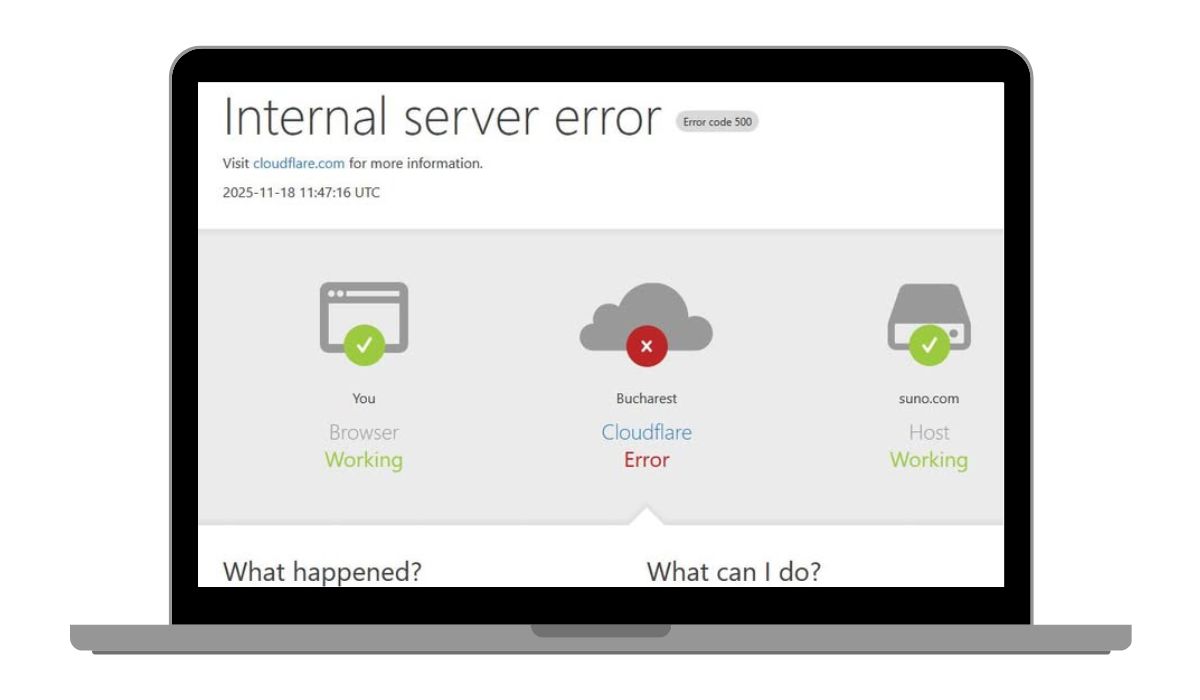
A Suno AI internal server error means the request you sent could not be processed by Suno’s backend system. In simple terms, your browser sends a request, but the server fails while handling it. This is similar to what many platforms call an HTTP 500 error. It usually points to a problem on the service side, not something you intentionally did wrong.
Users often see this error while generating a song, submitting prompts, or trying to play or export audio. The page may reload, freeze, or show a short error message. It does not mean your account is banned or your credits are gone.
Common Causes of Suno AI Internal Server Error
This error rarely has one single cause. It often appears when multiple things happen at once, like high traffic or session issues. Sometimes the problem clears on its own. Other times, it repeats until conditions change.
Here are the most common reasons this error shows up:
- Temporary overload on Suno AI servers
- Backend processing failure during music generation
- Expired or broken user session
- Corrupted browser cache or cookies
- VPN or proxy interfering with requests
- Network request timeout
- Ongoing maintenance or partial outage
Each of these affects how your request reaches and processes on the server.
How to Fix Suno AI Internal Server Error?
This error shows up when a request reaches the server but fails during processing. Sometimes it clears on its own. Other times, small local issues make it repeat. Because the message gives little detail, try these fixes in order. Apply one fix, then retry your action. If it still fails, move to the next.
Fix #1: Refresh the Page and Retry the Action
The request may have failed once and left the session in a bad state. A simple refresh can reset it.
Reload the page. Wait a few seconds. Try generating or playing again on Suno AI. This often works when the error appears only once.
Fix #2: Log Out and Log Back In
Session data can expire or break during heavy usage. Logging out forces a clean session.
Follow these steps:
- Open account settings
- Click Log out
- Close the browser tab
- Reopen the site
- Log in again
- Retry your request
This refreshes authentication and request handling.
Fix #3: Clear Browser Cache and Cookies
Corrupted site data can block requests from processing correctly.
Follow the steps below to clear browser data:
- Open browser settings
- Go to Privacy or History
- Choose Clear browsing data
- Select Cookies and Cached files
- Confirm the action
- Restart the browser
- Open the site and try again
This removes broken data without affecting your account.
Fix #4: Turn Off VPN or Proxy Services
VPNs and proxies can change request routing. That can cause server validation to fail.
Disable any VPN or proxy. Close the browser. Open it again and retry. Many AI platforms work better with a direct connection.
Fix #5: Try a Different Browser or Device
Some browser profiles block scripts or requests without showing warnings.
Open the site in another browser or on a different device. If it works there, the original browser setup is likely the issue.
Fix #6: Check Suno AI Server Status
Sometimes the problem is not on your side. Servers may be overloaded or under maintenance.
If many users report issues at the same time, waiting is the safest option. Retrying during an outage usually leads to the same error.
Fix #7: Wait and Retry Later
When servers are busy, repeated requests can make things worse.
Pause for 10 to 30 minutes. Then try again with a fresh session. In many cases, the error disappears without any other changes.
How to Prevent Suno AI Internal Server Error in the Future?
Prevention does not stop every server issue, but it helps reduce repeat problems on your side. The goal is to keep sessions clean and requests simple.
- Use a stable internet connection
- Avoid VPNs or proxy services while generating
- Refresh sessions instead of keeping tabs open for hours
- Use supported and updated browsers
- Clear browser data occasionally
- Save prompts and results frequently
- Avoid sending repeated requests too quickly
Conclusion
To summarize, a Suno AI internal server error is a backend failure that stops music generation or playback. It often appears because of server load, session problems, or temporary outages. The error looks serious, but in many cases, it’s short-lived.
If this article helped you understand what’s happening, consider sharing it with someone else using Suno AI. You can also leave a comment below and mention when the error appears for you. That kind of detail helps others decide whether to retry or wait.