


When you sit down to play Skate and this strange code pops up, it stops everything. It feels annoying because you just want the game to load, start a session, or join your friends. When error code 3967269002 shows up, it blocks the game from running right. This guide helps you understand what the code means, why it happens, and how you can fix it fast without getting lost.
What Is Skate Error Code 3967269002?
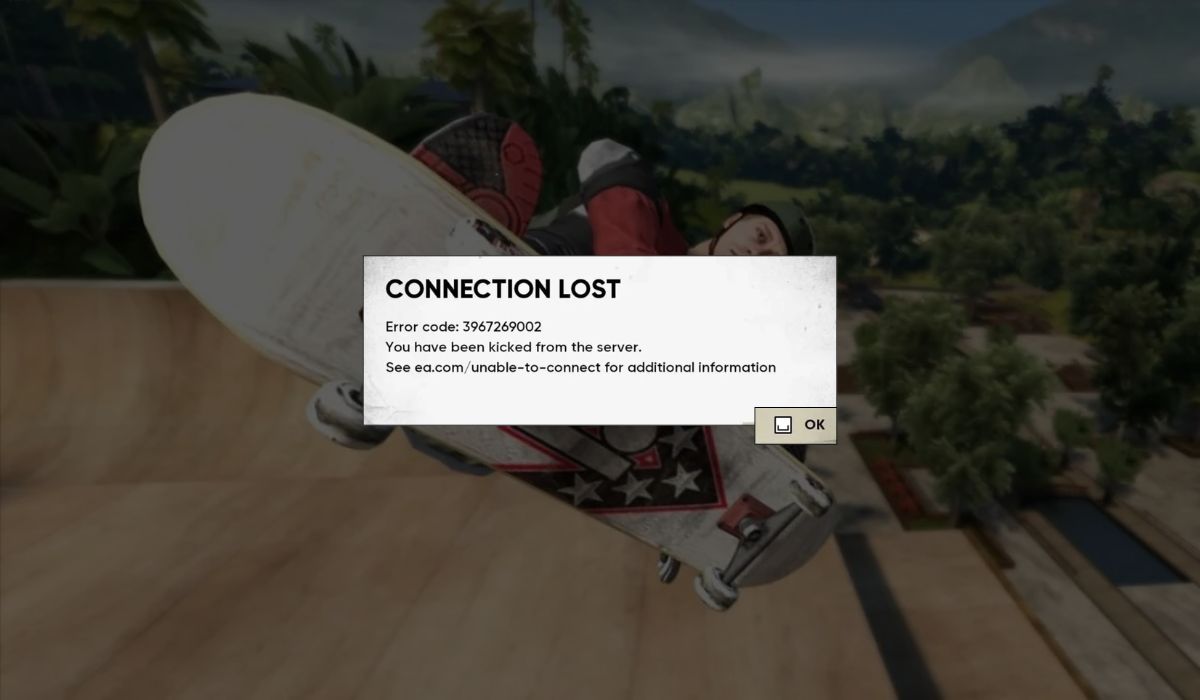
This error shows when the game cannot connect, load, or sync something important. The system might be trying to reach EA servers, check your EA account, or read game data. When one step breaks, the game shows this code and stops.
You might see it when the game starts, when you open Skate online modes, or when the system tries to reach multiplayer servers. On Xbox, PlayStation, or PC, it can pop up in different places, but the meaning stays the same. Something got interrupted.
Common Causes of Skate Error Code 3967269002
This error can show up on different devices for different reasons. Below are common triggers that players see on Xbox, PlayStation, and PC.
- Outdated game version or missing patch
- Damaged cache files inside the console or PC
- EA account failing to sync with the servers
- Weak Wi Fi signal or strict NAT settings
- EA server outage or maintenance
- Old console firmware
- Background apps taking network bandwidth
How To Fix Skate Error Code 3967269002?
These fixes help clear the code on most devices. Try them one by one. Some are simple. Some take a minute. All are safe.
Fix 1: Restart the Game and Device
A basic restart clears small bugs. It also refreshes the connection to EA servers. Close the game fully, not just back out. Turn your console or PC off, wait ten seconds, then turn it on again.
Fix 2: Clear the Skate Cache
Corrupted cache files stop Skate from loading the right data. When you clean them, the game gets a fresh start.
Try these steps to clear cache on different systems:
- On Xbox, open settings.
- Go to storage.
- Select clear persistent storage.
- Restart the console.
- Launch Skate again.
On PlayStation, turn the console off, wait a bit, then power it back on. On PC, delete temp files linked to the game launcher.
Fix 3: Check EA Server Status
Sometimes the problem is not on your side. EA servers can go down. When that happens, you cannot connect or load your player profile. Check EA server status online. If servers are down, wait.
Fix 4: Update the Game
Old versions cause errors because the build does not match the live servers. Updating the game fixes this problem and syncs your files with EA servers.
Fix 5: Sign Out and Sign In to Your EA Account
Account sync can break when your login token expires. Signing out gives you a fresh session.
Here’s how you can refresh your EA account:
- Open the EA account menu inside the game or console settings.
- Sign out fully.
- Restart the device.
- Sign in again.
- Try loading Skate.
Fix 6: Restart Your Wi Fi Router
Weak or unstable Wi Fi breaks server connections. A quick router reboot renews your IP address and clears network issues. Turn it off, wait ten seconds, turn it back on.
Fix 7: Change Your DNS
Bad DNS servers stop the game from reaching EA servers. You can switch to better DNS for faster response.
Use Google DNS (8.8.8.8 and 8.8.4.4) or Cloudflare DNS (1.1.1.1).
Here are the following steps which help you switch DNS:
- Open network settings.
- Choose manual DNS.
- Add the DNS numbers.
- Save settings.
- Restart your console or PC.
Fix 8: Rebuild Database (PS5) or Clear Persistent Storage (Xbox)
On PlayStation 5, rebuilding the database cleans small file errors. On Xbox, clearing persistent storage does the same thing. This resets game data links without deleting your saves.
Fix 9: Repair or Verify Game Files on PC
If you play Skate on PC, files can become damaged. The game launcher can scan and repair them. This fix helps when the error comes from missing files.
Fix 10: Reinstall the Game
If nothing works, a clean install clears corrupted files fully. Save data usually stays in cloud storage, so you can reinstall without losing progress.
Prevention Tips to Avoid Errors in Game
Stopping errors before they happen is easier than fixing them later. Try these habits to keep Skate running smooth.
- Update the game when new patches come out
- Keep your console or PC firmware fresh
- Restart your router once in a while
- Avoid filling your storage to the limit
- Clear cache every few weeks
- Check EA server status before long play sessions
Conclusion
Skate error code 3967269002 usually shows when the game cannot load data or reach EA servers. It can come from old patches, bad network, damaged cache files, or account sync trouble. Most of the time, simple fixes like cache clearing, DNS changes, or updates solve it.
Try the steps in this guide one at a time. If the error stays after all ten fixes, reach out to EA support so they can run deeper checks on your account or device. And if this guide helped you, feel free to share it or leave a comment so other players can fix the same problem faster.