



You start Elden Ring, open the multiplayer menu, and try to summon another Tarnished player. But the game keeps searching. Or you see a message like Unable to summon cooperator. That can feel frustrating, especially when you want help with a boss or want to try PvP battles.
This matters because Elden Ring multiplayer is built around online interaction. Players connect through FromSoftware matchmaking servers using items like the Furlcalling Finger Remedy and systems like summoning pools. When matchmaking stops working, you lose access to co-op gameplay and invasion battles.
The good part is that this issue usually has a clear reason. In this guide, you will learn what the Elden Ring Nightreign matchmaking issue means, why it happens, how to fix it, and how to prevent it from returning.
Why Is Elden Ring Nightreign Matchmaking Not Working?
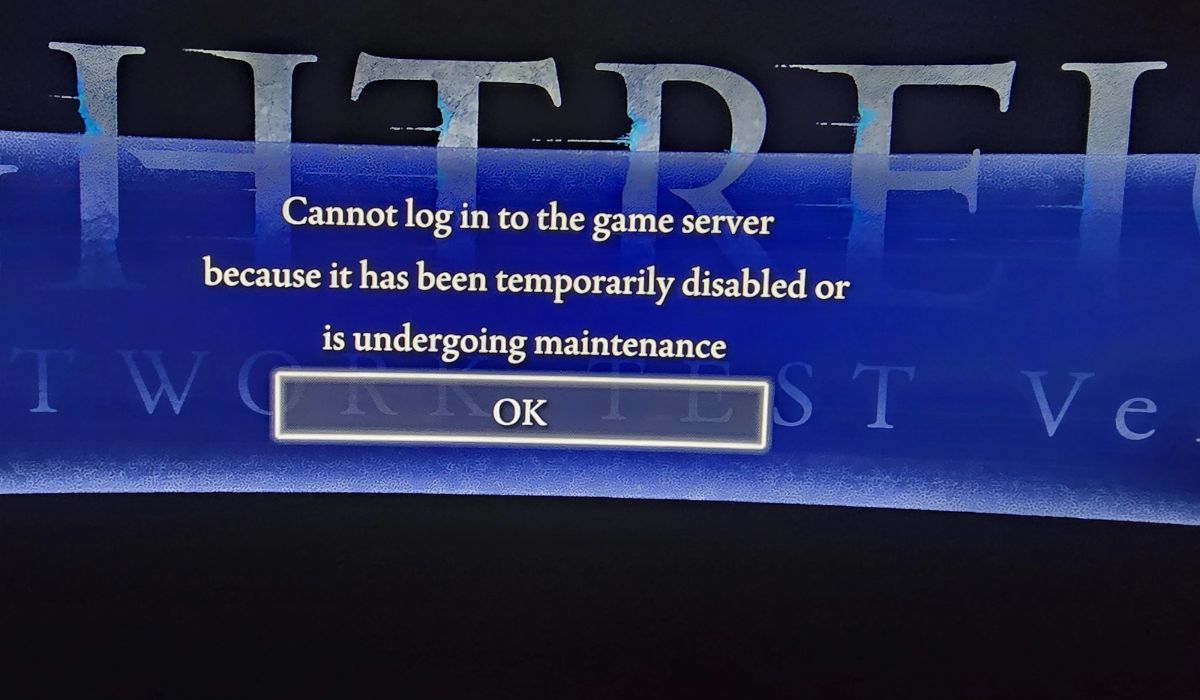
The Elden Ring matchmaking error means the game cannot connect your session with other online players.
Elden Ring uses an online system designed by FromSoftware and supported by Bandai Namco servers. When everything works correctly, the game searches for players who placed co-op summoning signs or are available for PvP invasion matchmaking.
When this connection fails, the multiplayer request cannot complete.
Players usually notice the issue when:
- summoning signs do not appear in the game world
- the multiplayer search keeps running but never connects
- the game shows Failed to join session
- co-op players disappear before joining
You normally see the problem inside the multiplayer menu, while using the Furlcalling Finger Remedy, or when interacting with summoning pools in different areas of the map.
Common Causes of Elden Ring Nightreign Matchmaking Issues
Multiplayer depends on several systems working together. If one part fails, the connection may stop.
Some common causes include:
- temporary Elden Ring server maintenance
- unstable internet connection or high latency
- strict NAT type settings on routers or consoles
- outdated Elden Ring game version
- firewall or antivirus blocking the connection
- platform service problems on Steam, PlayStation Network, or Xbox Live
- password matchmaking limiting connections
How to Fix Elden Ring Nightreign Matchmaking Not Working
If you are facing this matchmaking issue, follow the fixes below one by one until the problem is solved. Start with the basic checks first, then move to the network or settings fixes if the issue continues.
Fix #1: Restart Elden Ring and Your Device
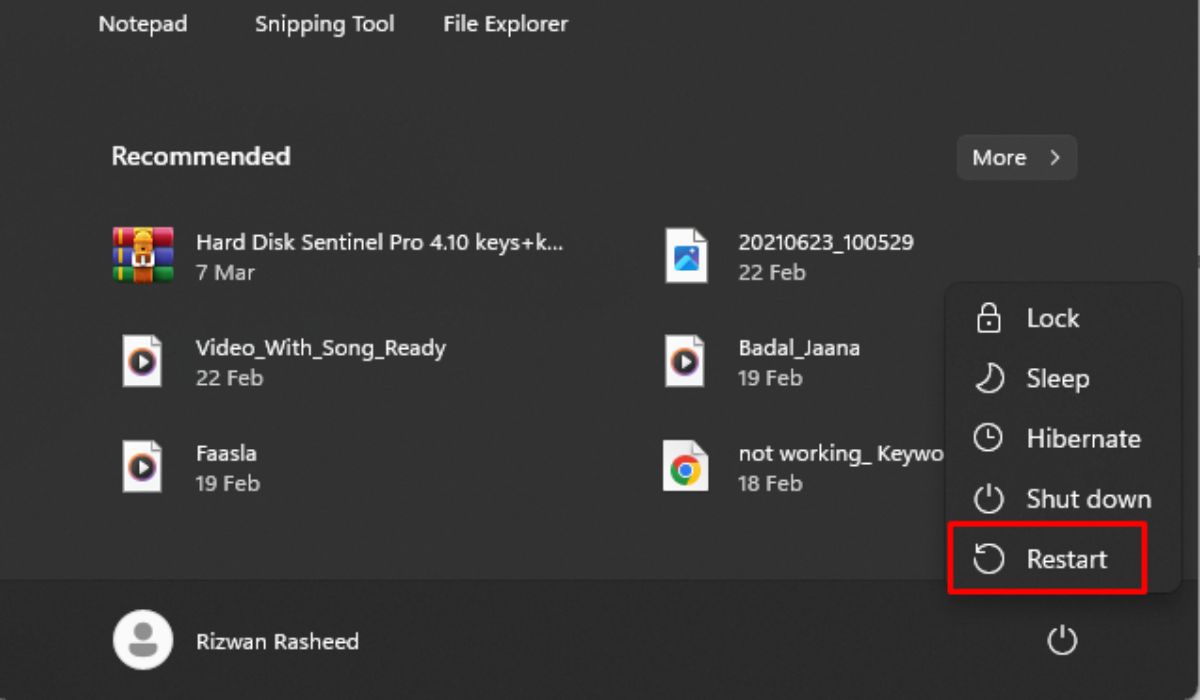
Sometimes the matchmaking request fails because the game session becomes stuck. Restarting the game clears temporary network data and reconnects your device to the FromSoftware multiplayer servers.
Follow the steps below to restart the game and system.
- Close Elden Ring completely.
- Exit the Steam client or return to the console home screen.
- Turn off your PC, PlayStation, or Xbox.
- Wait around 30 seconds.
- Turn the device back on.
- Launch Elden Ring again and test multiplayer.
Many players find that this simple restart restores the connection with the Bandai Namco online servers.
Fix #2: Check and Stabilize Your Internet Connection
Sometimes the issue comes from the network instead of the game. Elden Ring multiplayer requires steady communication with matchmaking servers. If the connection drops packets or latency becomes high, the server may cancel the request.
Try these simple steps to improve your connection.
- Open your device network settings.
- Run an internet speed test.
- Restart your modem and router.
- Move closer to the router if using Wi-Fi.
- Connect using an Ethernet cable if available.
After stabilizing the network, launch Elden Ring again and check multiplayer.
Fix #3: Enable Cross-Region Play
The Cross-Region Play option controls how far the matchmaking system searches for players. When this option is disabled, the game only searches for players within a smaller geographic area.
Here are the steps that help you enable cross-region matchmaking.
- Launch Elden Ring.
- Open the System menu.
- Select Network settings.
- Locate Cross-Region Play.
- Change it to Perform Matchmaking.
- Save the settings and return to the game.
After enabling this option, the server can search a larger pool of Tarnished players, which often improves matchmaking speed.
Fix #4: Update Elden Ring to the Latest Version
Multiplayer compatibility depends on the game version. When FromSoftware releases a new patch, older versions may no longer connect properly to the server.
Because of this, matchmaking requests may fail until the game updates. Follow these steps to update the game.
- Open your Steam, PlayStation, or Xbox game library.
- Find Elden Ring in the list.
- Check if an update is available.
- Download and install the update.
- Restart the game after installation.
Once the update finishes, the game reconnects with the latest Bandai Namco matchmaking servers.
Fix #5: Check NAT Type Settings
Your router’s NAT type affects how your device communicates with other players online. A strict NAT type may block the peer-to-peer connections used by Elden Ring multiplayer.
Follow these steps to check NAT settings.
- Open your device network settings.
- Locate the NAT Type status.
- If the NAT type shows Type 3, restart your router.
- Log into your router settings using a browser.
- Enable UPnP if the router supports it.
- Restart the router and test multiplayer again.
Improving NAT settings often makes matchmaking easier.
Fix #6: Disable Multiplayer Password
Sometimes matchmaking looks broken even though the system works normally. This happens when a multiplayer password is active.
When a password is enabled, the game only connects players using the same password. If no other player uses that password, matchmaking will fail.
To resolve this, open the multiplayer menu in Elden Ring and remove any active password. Once the password field is empty, the system searches the full matchmaking pool again.
After removing the password, summoning signs from other players should appear normally.
Prevention Tips to Avoid Elden Ring Matchmaking Issues in the Future
Preventing the issue can save time and frustration later. A few small habits help maintain stable multiplayer connections.
- Keep Elden Ring updated with the latest patches,
- Restart your router regularly to refresh the network
- Use a wired Ethernet connection instead of Wi-Fi
- Check Steam, PlayStation Network, or Xbox Live service status before playing
- Keep router firmware updated
- avoid strict NAT settings whenever possible
- Monitor internet speed and latency during gameplay
Conclusion
In short, the Elden Ring Nightreign matchmaking issue happens when the game cannot connect properly to multiplayer servers. This can occur because of server maintenance, unstable internet connections, strict NAT settings, or outdated game versions.
Most players fix the issue by restarting their system, stabilizing their internet connection, enabling cross-region matchmaking, or updating the game.
If the issue continues after trying these fixes, it may help to check official updates from Bandai Namco or contact their support team for further help.
If one of these solutions worked for you, share your experience in the comments. Your solution might help another Elden Ring player return to co-op battles faster.